Optimising Your Website for Generative AI in Google Search: The Complete Guide
Most marketing managers are waiting for a list of new technical rules to appear in Google’s AI Overviews. A special file to create, markup to add, a box to tick. The reality is simpler — and frankly more reassuring.
Google officially states that there are no additional criteria. None at all.
The official Google guide “AI features and your website” (last updated: December 2025) is clear: SEO best practices remain the foundation. No secret markup, no dedicated optimisation. Just well-executed SEO — decoded here into concrete actions for your team.
- Google confirms: no additional technical criteria to appear in AI Overviews or AI Mode.
- Your page must be indexed and eligible for a snippet — this is the only entry condition.
- 7 SEO best practices defined by Google structure optimisation for generative AI.
- Search Console already measures your visibility in AI features via the Performance report (Web type).
- Google-Extended allows you to control the use of your content for AI model training, independently of your presence in Search.
What are Generative AI Features in Google Search?
Since 2023, Google has been integrating generative AI-based features directly into search results. These are not separate products: they are an integral part of Google Search, with the same core logic — surfacing relevant links for the user.
AI Overviews: The Direct Answer at the Top of the Page
AI Overviews are AI-generated summaries displayed at the top of results for complex queries. According to Google: “AI Overviews help people get to the gist of a complicated topic or question more quickly, and provide a jumping off point to explore links to learn more.”
They only appear when AI adds genuine value compared to classic organic results. Google judges on a case-by-case basis whether the format is relevant for the query. It is therefore not automatic — and this is a good thing, because it means content relevance matters more than its formatting.
AI Mode: Advanced Conversational Exploration
AI Mode goes further. It is designed for queries requiring in-depth reasoning, complex comparisons or multi-angle exploration. As Google specifies: “AI Mode is particularly helpful for queries where further exploration, reasoning, or complex comparisons are needed.”
AI Mode can combine several searches into a single synthesised response, which distinguishes it from the more direct AI Overviews. The models used differ between the two features, which can produce different links and results from the same search.
The “Query Fan-Out” Mechanism: How Google Builds Its AI Responses
To build a complete AI response, Google does not rely on a single search. It uses the query fan-out technique: several parallel queries are launched on sub-topics and complementary data sources, then the results are synthesised.
According to the official guide: “Both AI Overviews and AI Mode may use a ‘query fan-out’ technique — issuing multiple related searches across subtopics and data sources — to develop a response.”
This mechanism has a direct implication for your content. Content that covers a topic in depth, from several angles, has more chance of being mobilised at different stages of the fan-out. Thematic specialisation and complete coverage of a domain become AI visibility levers — not by accident, but because Google is actively seeking to cross-reference sources.
What Google Officially Says About Optimising for Generative AI
This is where the surprise no one expected lies.
No New Criteria: SEO Best Practices Remain the Foundation
Google’s official message is unambiguous:
“The best practices for SEO remain relevant for AI features in Google Search (such as AI Overviews and AI Mode). There are no additional requirements to appear in AI Overviews or AI Mode, nor other special optimizations necessary.”
— Google Search Central, December 2025
This is not marketing simplification. It is the official documented position, published and updated by Google Search Central. No specific “AI text file”, no Schema.org dedicated to generative AI, no markup to add.
For a marketing decision-maker, this message is structuring: investing in solid technical SEO and quality content remains the most effective strategy, including in the era of generative AI. No need to start from scratch. But no room either to rest on fragile foundations.
Technical Requirements for Appearing in AI Features
The entry condition is precise. For a page to be eligible for AI Overviews or AI Mode, two criteria must be met:
- The page must be indexed by Google
- The page must be eligible for a snippet in classic Google Search results
If your page does not meet both of these conditions, it cannot appear in AI features. No additional optimisation will compensate for a non-indexed page or one blocked at the snippet level.
| Condition | Criterion | Action if not met |
|---|---|---|
| Indexing | Page crawlable and indexed | Check robots.txt, noindex tags |
| Snippet eligibility | No active nosnippet directive | Review meta-robots on affected pages |
| Text content | Content accessible without JS required | Audit server-side rendering |
| Page experience | Acceptable Core Web Vitals | Technical performance audit |
Audit, structuring and ongoing optimization. We apply the best practices that get your site featured in Google’s AI capabilities
The 7 Concrete Best Practices Recommended by Google
Google has published a list of 7 SEO recommendations directly linked to visibility in its generative AI features. Here is how to translate them into actions.
Crawlability and Accessibility: The Foundation
Google’s first two best practices concern Googlebot’s access to your content. This is the foundation. Nothing else works if this base is deficient.
1. Allow crawling in robots.txt — and check that your CDN or hosting provider is not blocking Googlebot on its end. An infrastructure-level block is a frequent — and, therein lies the problem, silent — cause of exclusion. Your site appears to function normally, but Google sees nothing.
2. Make content accessible via internal links — an orphan page, however excellent, has little chance of being mobilised by the query fan-out. Internal linking structure is a direct AI visibility lever.
Quality Text Content and Page Experience
Best practices 3, 4 and 5 concern the content itself. They do not revolutionise anything — they confirm that SEO fundamentals are exactly what Google mobilises to feed its AI responses.
3. Offer an excellent page experience — Core Web Vitals (LCP, INP, CLS) and user experience signals remain relevant. Google does not distinguish page experience criteria between classic Search and AI features.
4. Ensure that important content is available in text format — AI Overviews rely on crawlable text. Content locked in images, non-tagged PDFs or unrendered JavaScript is invisible to the query fan-out.
5. Support text content with quality images and videos — visual resources enrich the overall relevance of the page. They do not replace text, they complement it.
Note: Google explicitly states that AI Overviews generate a greater diversity of sites visited for complex questions. Niche content, well written and well accessible, therefore has as much chance as a dominant generalist site. This is a genuine opportunity for specialist players who invest in their expertise.
Structured Data and Up-to-Date Commercial Information
Best practices 6 and 7 concern data accuracy and consistency. These are often neglected points — yet they are easily actionable.
6. Ensure that structured data matches the visible text — Schema.org must reflect exactly what the user sees on the page. An inconsistency between structured data and visible content can penalise eligibility for enriched features.
7. Check that Merchant Center and Business Profile information is up to date — for e-commerce sites and local businesses, outdated product data or opening hours in these tools directly impacts display in commercial AI features.
- Audit the robots.txt file and CDN rules for Googlebot
- Check internal linking on priority pages
- Measure Core Web Vitals via PageSpeed Insights or Search Console
- Identify key content locked in non-text formats
- Check consistency between Schema.org and visible content
- Update Merchant Center feeds and the Business Profile listing
How to Measure Your Visibility in Google’s AI Features
You already have the tool. You may just be using it differently.
Search Console: The Web Performance Report
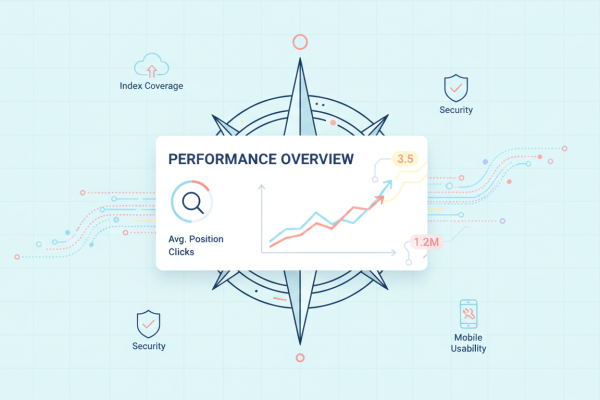
Google Search Console integrates AI Overviews and AI Mode data into the Performance report, accessible via the “Web” search type. Clicks and impressions generated by AI features are counted in this overall report.

To refine tracking, combine Search Console with Google Analytics: monitor the behaviour of users arriving via these clicks (time spent, pages visited, conversion rate). This allows you to measure the actual quality of AI traffic, not just its volume.
Click Quality: What Google Has Observed
Google has published a direct observation on the quality of traffic generated by AI Overviews: “We’ve seen that when people click from search results pages with AI Overviews, these clicks are higher quality (meaning, users are more likely to spend more time on the site).”
This point changes the analytical framework. The challenge is not solely to maximise the volume of clicks from AI Overviews, but to qualify this traffic. A user who clicks from an AI Overview has already received context. They arrive with a more precise intent, stronger motivation — and a higher likelihood of converting.
Controlling Your Content in Google’s Generative AI
Appearing in AI features is an opportunity. But you also have the right to choose what appears there, and to what extent.
The Control Tools at Your Disposal
Google provides several control mechanisms:
- robots.txt (Googlebot) — the main lever. Blocking Googlebot prevents indexing and therefore appearance in all Google Search features, AI included.
- nosnippet / data-nosnippet — prevents an extract of the page from being displayed in results. Applies to AI Overviews.
- max-snippet — limits the length of the extracted snippet.
- noindex — removes the page from the Google index. A radical solution.
Note: after modifying these controls, the delay before Google takes the changes into account can range from several days to several months. Do not expect an immediate effect.
Google-Extended: Training vs Search, a Key Distinction
Google-Extended is a robots.txt token distinct from Googlebot. It concerns the use of your content for training Google’s AI models, not for search results.
| robots.txt token | Affects | Usage |
|---|---|---|
Googlebot |
Search indexing + AI features | Main control |
Google-Extended |
AI model training | Data usage control |
Blocking Google-Extended does not prevent your site from appearing in AI Overviews or AI Mode. It is a distinct editorial decision: you authorise Google to cite you in Search, but not to use your content as training data.
For publishers concerned about their data policy or intellectual property rights, this is a concrete, documented lever that is often misunderstood. Now you know.
Doko Supports You in Your Generative AI Strategy

The Doko team works on these subjects daily: crawlability audit, internal linking, page experience, structured data consistency, Search Console monitoring. These are precisely the levers that Google identifies as determining factors for AI visibility.
What the agency will never promise: a “guaranteed ranking in AI Overviews”. What Doko does is rigorously apply the SEO fundamentals that Google documents, measure the results, and adjust.
Want to know where your site stands against generative AI requirements? Contact the Doko team for an SEO audit focused on AI visibility.
FAQ: Your Questions About Generative AI in Google Search
Do you need to modify your site to appear in Google’s AI Overviews?
No, according to Google itself. AI Overviews use the same criteria as classic Search. Your page must be indexed and eligible for a snippet. No additional markup, no specific file is required. Solid SEO remains the best preparation.
How do you know if your site appears in AI Overviews?
Via Search Console, in the Performance report (search type “Web”). Impressions and clicks generated by AI Overviews and AI Mode are integrated into this report. Supplement with Google Analytics to measure the behaviour of these visitors.
Do AI Overviews reduce my organic traffic?
The question is legitimate. Google has published the opposite observation: clicks from AI Overviews tend to be of higher quality, with users spending longer on sites. The impact on total volume varies by sector and query — analysing your Search Console data remains the only reliable answer for your specific case.
What is Google-Extended and should I use it?
Google-Extended is a robots.txt token that controls the use of your content for training Google’s AI models, separately from indexing for Search. Blocking it does not affect your presence in AI Overviews. It is an editorial decision about the use of your data, not a visibility lever.
Can Doko help me optimise my presence in Google’s generative AI?
Yes. The Doko team carries out SEO audits covering all the criteria that Google identifies as determining factors for AI features: crawlability, content accessibility, page experience, structured data, Search Console monitoring. Get in touch to assess your situation.