

[en] SEO
[en] Stratégie
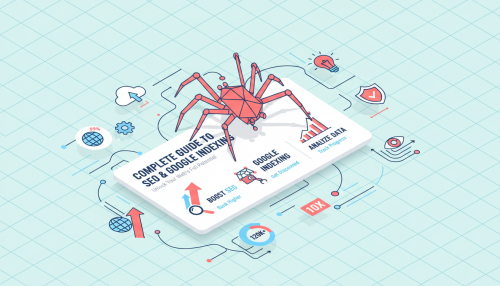
“Crawled — currently not indexed.” This message in Google Search Console is enough to worry any SEO manager. The page has been live for weeks, but remains invisible in search results.
Rarely a penalty, almost always an Google page indexing problem: Googlebot has crawled the page without yet adding it to its index. At Doko, this is a question that comes up regularly when a client shows us their Search Console. Understanding this mechanism changes the game for a site’s visibility.
Key takeaways
Before taking action, two stages must be distinguished that many SEO guides confuse.
Definition : indexing is the process by which Google analyses the content of a page that has already been crawled, then stores it in its index. An indexed page can appear in the SERPs; a non-indexed page, never.
The crawling downloads the content of a page. Indexing analyses it and stores it in Google’s index. Two sequential stages, never interchangeable.
A page can be crawled without ever being indexed; the reverse is impossible. The status “Crawled — currently not indexed” is therefore not an error, but a normal stage.
Two statuses appear most often in Search Console.
“Crawled — currently not indexed” issue: Google has downloaded the page but is not indexing it for the time being, often due to relevance issues or content that is too similar to another page. There is no need to resubmit the URL.
Discovered — currently not indexed: Google knows about the page but has not yet crawled it, often to avoid overloading the site’s server.
Before forcing Google indexing, you first need to know the status of each page. Two methods exist, with a clear gap in reliability.
Typing “site:votredomaine.com” into Google provides a quick overview of indexed pages. It is convenient, but Google notes that search operators are subject to indexing and retrieval limits.
The URL inspection tool in Search Console is the reference for checking the indexing status of a specific page. It displays the actual status, the rendered version and the canonical URL chosen by Google.
| Method | Reliability | What it shows |
|---|---|---|
| site: operator | Approximate | Estimate of the number of indexed pages |
| Search Console (URL inspection) | Reliable | Actual status, rendered version, canonical URL |
Crawling, Search Console, sitemaps, internal linking and technical tags: learn how to improve page indexing and strengthen your SEO visibility.
Three levers guide Google towards your pages, without guaranteeing an instant result.
Paste the URL into the inspection tool, then click “Request indexing”: this triggers a new crawl by Googlebot, not an immediate indexing.
Note: There is a daily quota for these requests, but Google does not disclose specific figures. Repeatedly requesting the same URL does not speed up the process; this action is restricted to accounts with owner or full access.
An XML sitemap lists important URLs and facilitates their discovery, especially on a large, new or poorly structured site.
Note: A sitemap helps with URL discovery; it guarantees neither their crawling nor their indexing—Google explicitly states this.
Google states it clearly: if a site’s pages are properly linked to one another, Google generally discovers most of the content without additional effort.
An orphan page, sans lien interne pointant vers elle, reste difficile à explorer et donc à indexer. An audit de internal linking is sometimes enough to reactivate the indexing of a forgotten page — often the simplest fix once the problem has been identified.
Beyond one-off actions, certain technical settings facilitate Google indexing over time.
The fichier robots.txt et la noindex tag ne jouent pas le même rôle. Les confondre crée un piège technique fréquent.
Note : if a page is blocked by robots.txt, Googlebot does not crawl it and therefore never sees its noindex tag problem: elle peut alors quand même apparaître dans les résultats, par exemple via des liens externes. Pour la retirer proprement, gardez-la crawlable avec la noindex tag active.
The canonical tag tells Google which URL to prioritise for similar or duplicate content. Without a clear signal, Google chooses the version to display on its own.
Duplicate content is common, across print versions, URL parameters or product variants. Google confirms: it is not a violation of its spam policies.
The vrai risque est de diluer le signal envoyé à Google. An structure d’URLs canoniques cohérente limite ce problème.
Google also prioritises the rapid inclusion of useful, quality content. An unique piece of content remains the most reliable lever for fast indexing.
Google indexing is the process by which Google analyses a page that has already been crawled and stores it in its index. Without indexing, a page never appears in Google.
There is no fixed timeframe. Google indicates that crawling can take from a few days to several weeks, with no guarantee that indexing will follow, or even that it will happen at all.
The statut « Crawled — currently not indexed” means that Google has downloaded the page but is choosing, for now, not to index it — most often due to a perceived relevance issue.
No. An XML sitemap helps Google discover your URLs, but Google states that it guarantees neither their crawling nor their indexing.
The noindex tag prevents a page from appearing in results, provided it remains crawlable. If the page is blocked by robots.txt, Googlebot will never see this tag, and the page may still appear in Google.
Unsure about the indexing status of your pages? The Doko team can help you get clarity through a technical SEO audit.